
10 Best Ways to Use HighLevel CRM to Grow Faster, Follow Up Better, and Automate More of Your Business

Contents
Table of Contents
Best fit for...
- •New HighLevel users who feel overwhelmed
- •Business owners replacing multiple tools
- •Agencies setting up client accounts
- •Consultants and coaches building follow-up systems
- •Local businesses that miss calls, leads, or appointments
- •Intermediate users ready to clean up messy accounts
Not the right fit if...
- •People looking for a single-function tool
- •Those unwilling to set up their systems properly
- •Enterprise companies requiring custom-coded backend solutions
The Real Way to Think About HighLevel
Most people approach HighLevel as a long list of features. That creates overwhelm. The better way is to think of HighLevel as a connected business operating system for capturing leads, organizing contacts, tracking opportunities, automating follow-up, centralizing conversations, booking appointments, collecting payments, generating reviews, and reactivating old leads.
HighLevel works best when these parts connect: 1. Capture the lead 2. Organize the contact 3. Track the opportunity 4. Automate the follow-up 5. Centralize the conversation 6. Book the appointment 7. Collect payment 8. Request the review 9. Reactivate later
1. Build your CRM around the customer journey, not just contact storage
The CRM should not just be a place where names, phone numbers, and email addresses live. It should reflect how leads and customers actually move through the business.
Features to use: CRM, Contact Management, Custom Fields, Tags, Notes, Tasks, Opportunities
Why it matters: When the CRM mirrors the real customer journey, follow-up becomes easier, handoffs become cleaner, and no one has to rely on memory.
Beginner move: - Define your core lead stages - Add essential contact fields - Use notes for important context - Create tasks for manual follow-up
Intermediate move: - Use tags to identify lifecycle stage - Trigger workflows based on contact activity - Use custom fields to personalize follow-up - Connect CRM records to opportunities
Example customer journey: New Lead → Contacted → Qualified → Booked → Showed → Sold → Fulfilled → Review Requested → Reactivation Ready
2. Use Smart Lists as your control panel for segmentation
Smart Lists help users avoid looking at one giant contact list. They create useful, saved views based on real business scenarios.
Features to use: Smart Lists, Tags, Custom Fields, Lead Scoring, Contact Management
Why it matters: Smart Lists make it easier to see who needs attention, who is ready to buy, who went cold, and who should be reactivated.
Smart List Examples
| Smart List | Purpose |
|---|---|
| New Leads - Not Contacted | Speed-to-lead follow-up |
| Booked - Not Yet Showed | Appointment reminder focus |
| Estimate Sent - No Payment | Sales follow-up |
| Past Customers - No Review | Reputation growth |
| Cold Leads - 90+ Days | Reactivation campaign |
| High-Intent Leads | Sales priority list |
Beginner move: - Create 3–5 Smart Lists for daily follow-up - Separate new leads from customers - Create a no-response list
Intermediate move: - Combine Smart Lists with tags and custom fields - Create campaign-specific lists - Use lead score thresholds
3. Standardize Custom Fields before building automations
Automation quality depends on data quality. If users collect messy or inconsistent data, workflows become harder to manage.
Features to use: Custom Fields, Forms, Surveys, Quizzes, Workflows, Custom Values
Why it matters: Custom Fields help HighLevel understand the lead. Custom Values help standardize reusable business information like company name, phone number, offer name, calendar link, address, or support email.
Custom Fields vs Custom Values: Custom Fields: information about the contact or opportunity. Custom Values: reusable information about your business, offer, or account.
Beginner move: - Choose 5–10 core fields before building forms - Keep field names simple and consistent - Avoid duplicate fields
Intermediate move: - Use fields to personalize email/SMS - Use fields to control conditional logic - Use forms and surveys to populate fields automatically
4. Use Sales Pipelines to make invisible revenue visible
Pipelines help businesses see where revenue is stuck. Without a pipeline, deals live in texts, emails, spreadsheets, and memory.
Features to use: Sales Pipelines, Opportunities, Tasks, Notes, Lead Scoring, Workflow Automations
Why it matters: A pipeline turns follow-up into a visible process. It helps users see whether leads are not booking, appointments are not showing, or proposals are not closing.
Recommended beginner pipeline: 1. New Lead 2. Contacted 3. Qualified 4. Appointment Booked 5. Appointment Completed 6. Proposal Sent 7. Won 8. Lost / Nurture
Beginner move: - Create one simple pipeline - Move every real lead into an opportunity - Assign a value to each opportunity - Add tasks to active opportunities
Intermediate move: - Trigger workflows when stages change - Track lost reasons - Use multiple pipelines only when truly needed - Create stage-based reporting
5. Automate the obvious follow-up first
Beginners should not try to automate everything at once. Start with the predictable moments where every business needs reliable communication.
Features to use: Workflow Automations, Multi-Trigger Workflows, Conditional Logic, Two-Way SMS, Email Marketing, Drip Campaigns, Appointment Reminders
Why it matters: The fastest automation wins usually come from reducing missed follow-up, missed appointments, and manual reminders.
Automation Priority
| Automation | Business Impact |
|---|---|
| New lead instant reply | Faster speed-to-lead |
| Missed call text-back | Captures otherwise lost calls |
| Appointment confirmation | Reduces confusion |
| Appointment reminders | Reduces no-shows |
| No-response follow-up | Saves forgotten leads |
| Review request after service | Builds reputation |
| Reactivation campaign | Revives old leads |
Beginner move: - Create a new lead follow-up workflow - Add appointment reminders - Add a no-response sequence - Add a review request workflow
Intermediate move: - Use conditional logic based on lead source or service interest - Use multi-trigger workflows carefully - Separate sales follow-up from customer fulfillment - Add internal notifications for hot leads
6. Use the Unified Conversations Inbox as your daily command center
One of HighLevel’s biggest practical advantages is centralizing communication across SMS, email, chat, and social channels.
Features to use: Unified Conversations Inbox, Two-Way SMS, Email, Facebook Messenger, Instagram DM, WhatsApp Messaging, Google Business Messages, Chat Widget
Why it matters: Businesses often lose leads because messages are scattered across too many places. A unified inbox gives the team one place to work from.
Beginner move: - Connect core communication channels - Reply from one central inbox - Use conversation history before responding - Mark conversations appropriately
Intermediate move: - Add internal notes - Assign conversations to team members - Use tags to identify status - Combine AI and human handoff
7. Install Missed Call Text-Back before anything fancy
Missed call text-back is one of the quickest wins for local businesses and service providers.
Features to use: Missed Call Text-Back, Inbound Calling, Call Tracking, Two-Way SMS, Workflows
Why it matters: When a prospect calls and no one answers, they often call the next competitor. A fast automatic text keeps the conversation alive.
Example SMS: 'Sorry we missed your call. How can we help?'
Beginner move: - Set up missed call text-back - Keep the message human and simple - Route replies into the Conversations Inbox
Intermediate move: - Trigger different replies based on number or campaign - Add internal alerts for high-value calls - Connect missed call events to pipeline stages
Before/After: Before: missed call → lost lead After: missed call → instant text → conversation restarted
8. Turn calendars into conversion tools, not just scheduling links
Calendars are more powerful when connected to reminders, forms, routing, payments, and follow-up.
Features to use: Calendars, Appointment Reminders, Round-Robin Booking, Paid Calendars, Forms, Workflow Automations
Why it matters: A calendar should not just book a time. It should qualify the person, prepare them for the call, reduce no-shows, and trigger the next step.
Calendar Conversion Tools
| Calendar Feature | Use Case |
|---|---|
| Round-robin booking | Route leads to sales reps |
| Paid calendars | Collect deposits or consultation fees |
| Reminder sequences | Reduce no-shows |
| Pre-call forms | Qualify before the appointment |
| No-show workflows | Automatically follow up |
| Calendar-specific automations | Customize follow-up by service type |
Beginner move: - Add reminder emails and SMS - Add a short intake form - Create a no-show follow-up
Intermediate move: - Use round-robin for multiple reps - Create separate calendars by service - Add payment collection where appropriate - Trigger workflows from appointment status
9. Use AI where response speed and repetition matter most
Beginners should not use AI everywhere immediately. The best first use cases are repetitive, time-sensitive, and easy to define.
Features to use: Conversation AI, Voice AI, AI Agents, Chat Widget, AI Review Replies
Why it matters: AI is most useful when it helps answer common questions, qualify leads, respond after hours, book appointments, or reduce repetitive admin work.
AI Use Cases
| AI Feature | Best Use |
|---|---|
| Conversation AI | Answer FAQs and qualify leads |
| Voice AI | Handle missed or after-hours calls |
| AI Agents | Guide leads toward booking or next step |
| AI Review Replies | Respond to reviews faster |
| Chat Widget + AI | Capture website leads |
Beginner move: - Start with FAQs - Add clear handoff rules - Use AI for lead capture, not complex judgment - Review conversations regularly
Intermediate move: - Train AI on offer details and objection handling - Use custom fields to personalize AI context - Route qualified leads into pipelines - Combine AI with workflows
Important note: Include a responsible AI callout: “AI should support your sales and service process, not replace your strategy. Start with simple use cases, monitor quality, and improve over time.”
10. Create a review and reactivation machine
Many businesses focus only on new leads while ignoring reviews, referrals, repeat customers, and old leads. HighLevel becomes more powerful when it supports the full customer lifecycle.
Features to use: Reputation Management, Automated Review Requests, AI Review Replies, Broadcast Campaigns, Drip Campaigns, Smart Lists, Email Marketing, SMS Marketing
Why it matters: Reviews increase trust. Reactivation campaigns can create revenue from contacts already in the database.
Beginner move: - Send review requests after successful service - Create a past customer list - Send occasional value-based email/SMS updates
Intermediate move: - Segment reactivation campaigns by service interest - Create seasonal campaigns - Use review status to avoid over-messaging - Ask happy customers for referrals
The best order to set up HighLevel if you are just getting started
This order helps users avoid building automations on top of a messy database.
CRM structure
Set up basic contact management rules.
Custom Fields and Custom Values
Standardize your data before building.
Tags and Smart Lists
Create your operational views.
Sales Pipeline
Define your customer journey stages.
Forms and Calendars
Create your conversion points.
Conversations Inbox
Connect your channels.
Missed Call Text-Back
Catch immediate low-hanging fruit.
Appointment Reminders
Reduce no-shows.
Basic Follow-Up Workflows
Automate speed-to-lead.
Review Request Workflow
Build reputation.
Reactivation Campaign
Tap into existing database value.
AI tools
Add leverage to repetitive tasks.
Common HighLevel mistakes that slow users down
Building workflows before organizing contacts
Why it hurts
Creates messy automations that are hard to debug or scale.
What to do instead
Define custom fields, tags, and pipelines first.
Creating too many tags
Why it hurts
Leads to tag bloat, making segmentation confusing and error-prone.
What to do instead
Use custom fields for permanent data and tags for temporary states.
Using vague pipeline stages
Why it hurts
Team doesn't know exactly what action is required next.
What to do instead
Name stages based on clear, completed actions (e.g., 'Estimate Sent').
Not setting up missed call text-back
Why it hurts
Literally throws away interested inbound leads.
What to do instead
Turn it on immediately with a simple, human-sounding message.
Forgetting appointment reminders
Why it hurts
Increases no-show rates and wastes sales time.
What to do instead
Build a 24-hour and 1-hour SMS/email reminder sequence.
Using AI without clear rules or human handoff
Why it hurts
AI can hallucinate or frustrate users if it hits a dead end.
What to do instead
Define tight prompts and clear escalation paths to humans.
The HighLevel Growth Stack
Which feature should you use first?
What is your biggest problem right now?
Frequently asked questions about HighLevel
What is the best HighLevel feature to start with?
Is HighLevel good for beginners?
What are Smart Lists in HighLevel used for?
What is the difference between Custom Fields and Custom Values in HighLevel?
What HighLevel automations should I build first?
How should I use HighLevel AI tools?
Can HighLevel replace multiple business tools?
Is HighLevel only for agencies?
Final Thoughts
Choosing the right platform is more than just a software decision; it is a commitment to how you want your business to operate. When you consolidate your stack, you eliminate the friction of multiple integrations, lost leads, and fragmented data.
If your business relies on speed-to-lead and consistent follow-up, the investment pays dividends almost immediately. The next step is to test the system with your own lead flow.
Ready to use HighLevel with more strategy and less overwhelm?
Start your HighLevel trial through GHLSolution.com and get access to guidance designed to help you understand what to build first, what to avoid, and how to turn HighLevel into a practical growth system for your business.
Written by
GHLSolution.com
HighLevel Strategy
Practical guides for agencies evaluating, implementing, and packaging HighLevel.
Expertise
GHLSolution.com provides practical education and strategy for HighLevel CRM, business automation, AI workflows, marketing systems, and customer communication.
Read full bio →Keep Reading

HighLevel Review 2026
An honest look at HighLevel's strengths, weaknesses, and buyer fit.

Best GoHighLevel Alternatives in 2026
Compare GoHighLevel alternatives by use case.
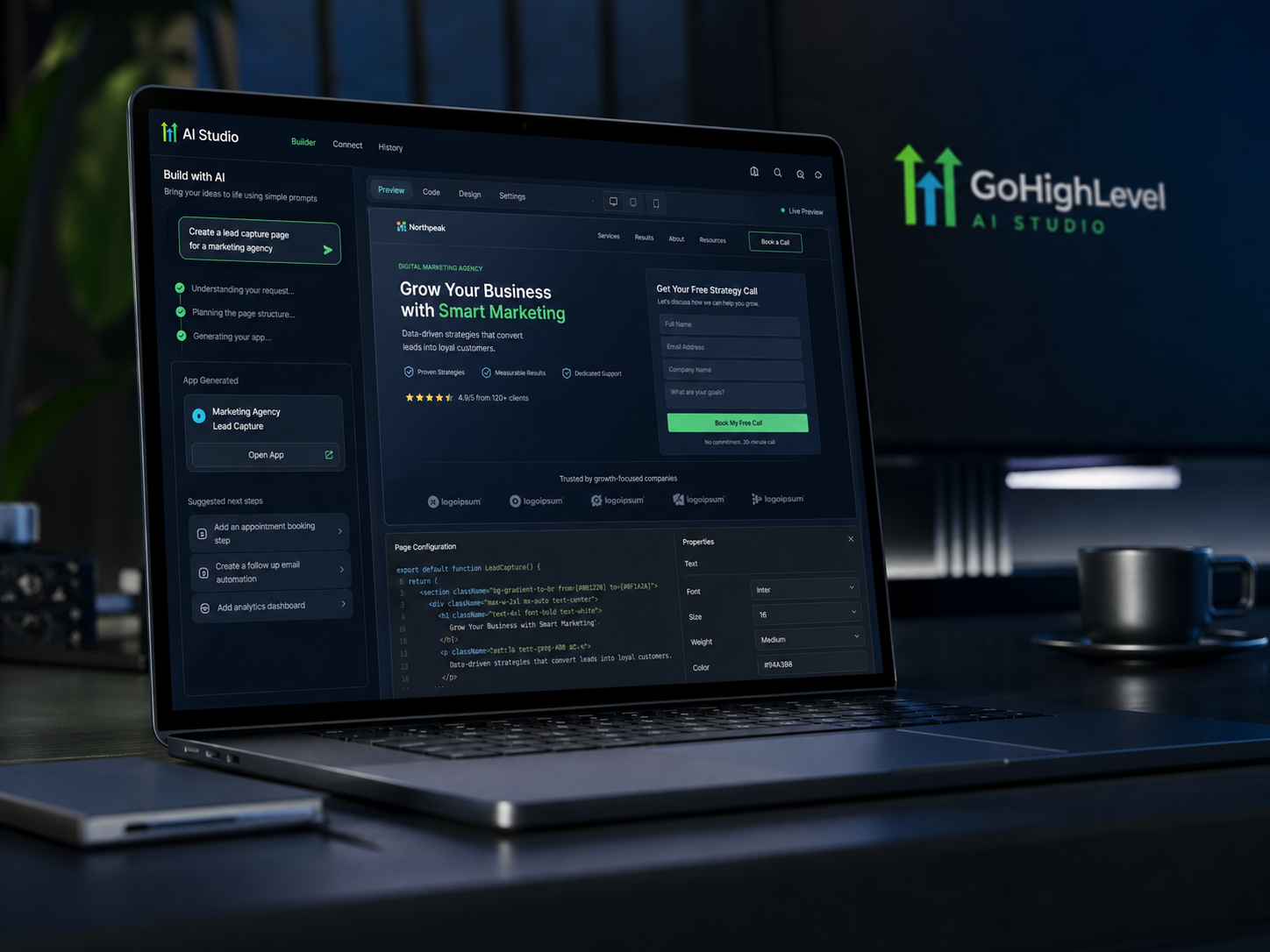
GoHighLevel AI Studio Guide
Build websites, funnels, and web assets with prompts.

AI Won't Transform Your Business. It Will Magnify It.
Most AI strategies fail because they speed up broken systems instead of redesigning them.